
Supercharge your Pydio Cells with Flows’ custom automations.
Streamline Workflows / Integrate with Other Systems / Strengthen Security Posture ... and more
There are lots of great document-sharing and collaboration solutions, but if you need to self-host and have enterprise-level requirements for scalability, security, flexibility and automation, Pydio Cells with Cells Flows is your best choice. Flows is our powerful no-code scripting engine that allows you to choose from off-the-shelf templates, customize those templates or build your own workflows from scratch. With Cells Flows, make Pydio the exact tool your organization needs.
Drag-and-Connect, It's as Easy as That!
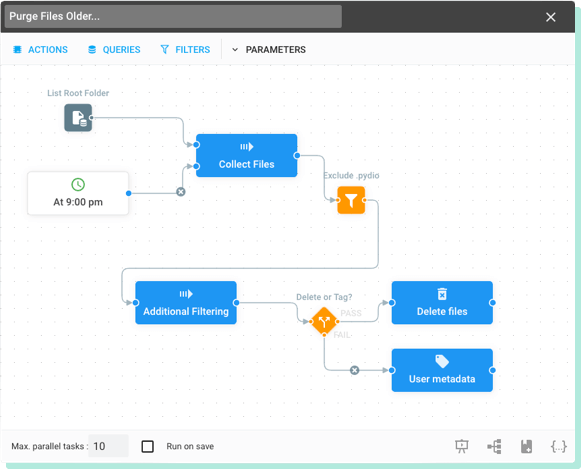
Flows drag-and-drop interface lets you create and manage workflows directly in Cells.
- Chain pre-built components together to build fast flows.
- Set conditional queries and filters as triggers
- Use variables, templates, and scripts to build complex Flows
Your creativity is the limit! Check out our step-by-step video guide for creating a simple job.
Get a Head Start with Templates
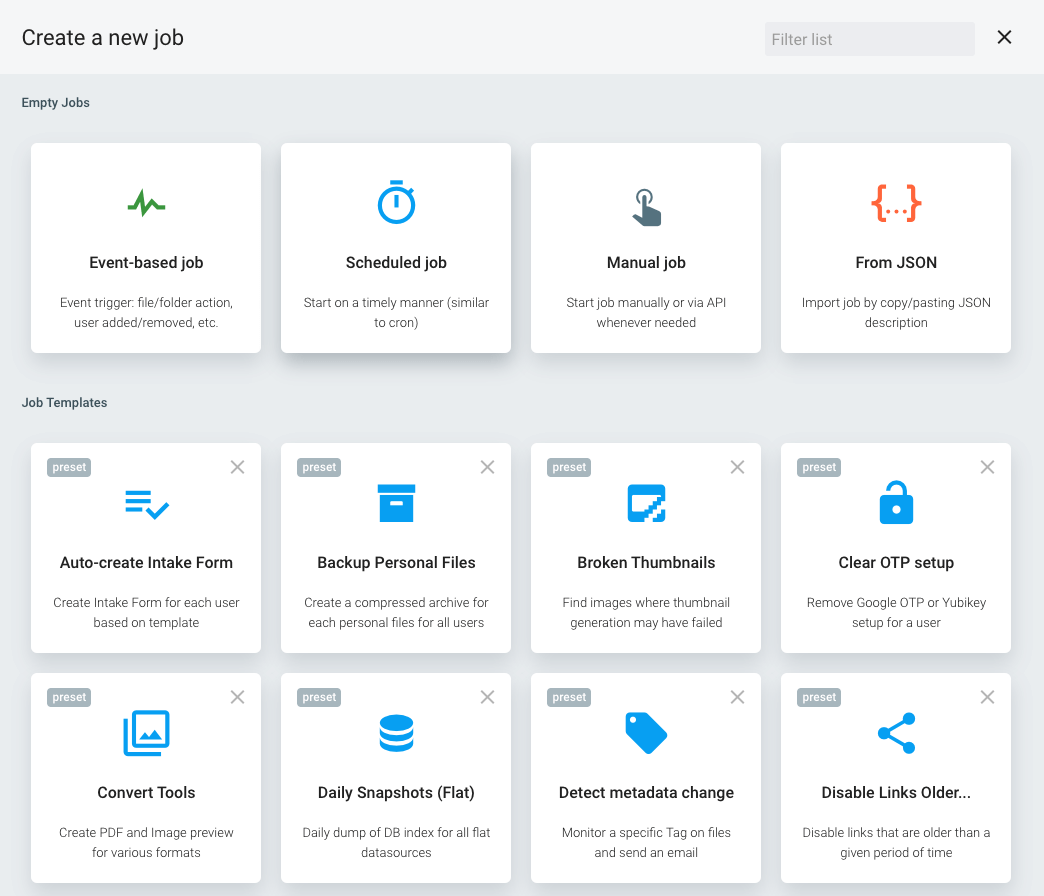
Templates are the fast, easy way to get started with Flows.
Add your configurations, and you can leverage these off-the-shelf Flows in minutes. Or use them as a bootstrap to create your own custom Flows.
We already have templates for most common automation challenges, and we add new templates weekly.
Build Custom Flows fast with Reusable Blocks
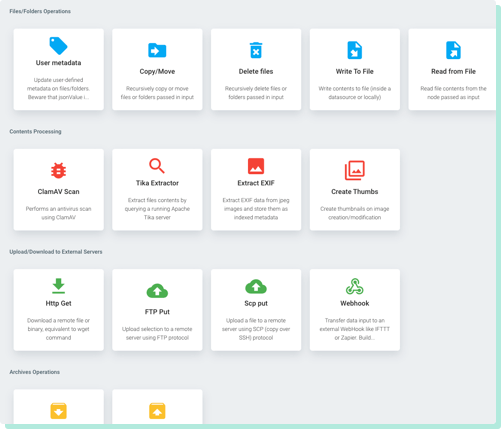
Cells Flows is bundled with a set of customizable blocks (actions, triggers, queries, etc.) that cover a wide range of simple tasks.
By combining Blocks using Flows’ drag-and-drop interface and then adding your configurations, you can quickly create new workflows to automate challenging, time-consuming or repetitive processes.
Integration With Third-Party Tools
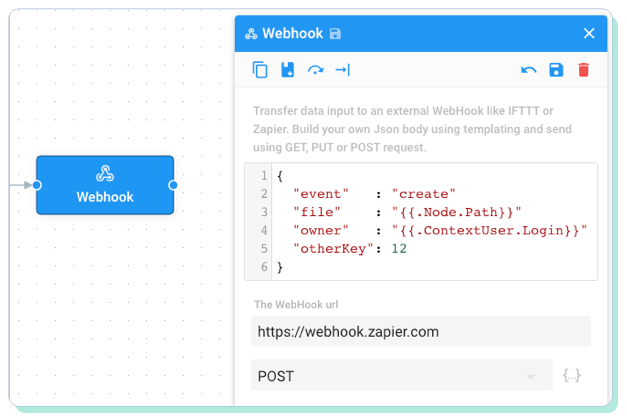
Cells Flows makes it a breeze to integrate Pydio Cells with third-party tools or services:
Integrate your own file processor via the server command-line interface.
Use webhooks to call external services like IFTTT or Zapier using JSON format.
Upload/download files to/from other servers with FTP or HTTP.
Trigger programmed jobs from outside using Cells scheduler API.